How to Record the cash receipt
In order to create a receipt for the first time, choose the Financial Transaction menus and select receipt. On a search space with the name “search account” enter an account name which you want to receive the to cash…
By Fabonic Admin
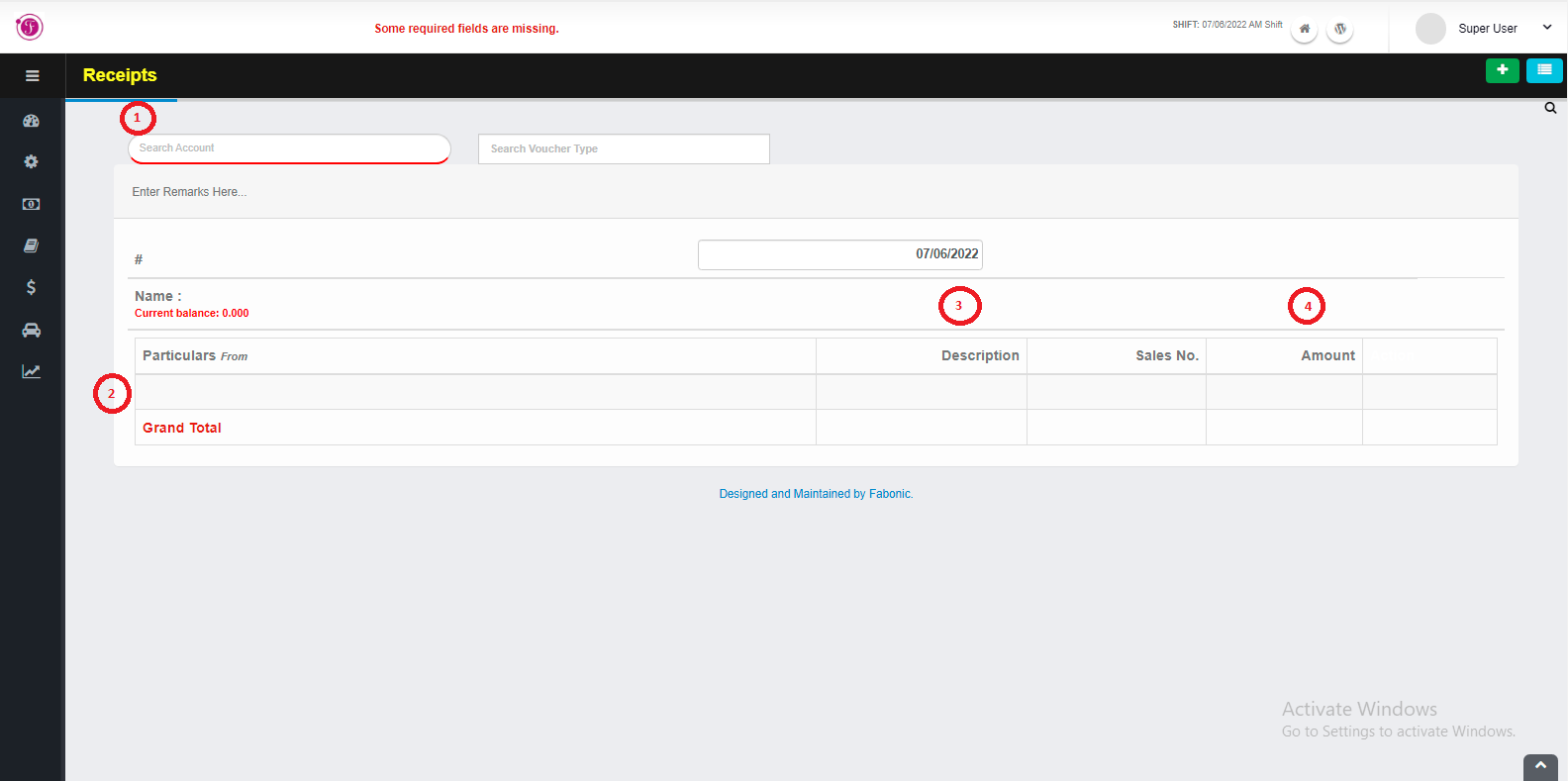
In order to create a receipt for the first time, choose the Financial Transaction menus and select receipt.
- On a search space with the name “search account” enter an account name which you want to receive the to cash.
- Enter the particular which is an account to take the cash from.
- Enter description and sales number if available
- Enter the amount
- If succeed click the save button to save the changes.
- To print that receipt click on orange print icon, to delete click on red delete icon, to add another receipt click on a plus icon and to see previously receipt click on a three line icons.