How to Record the cash receipt
In order to create a receipt for the first time, choose the Financial Transaction menus and select receipt. On a search space with the name “search account” enter an account name which you want to receive the to cash…
Na Fabonic Admin
Makala hii bado haijatafsiriwa. Inapatikana kwa English
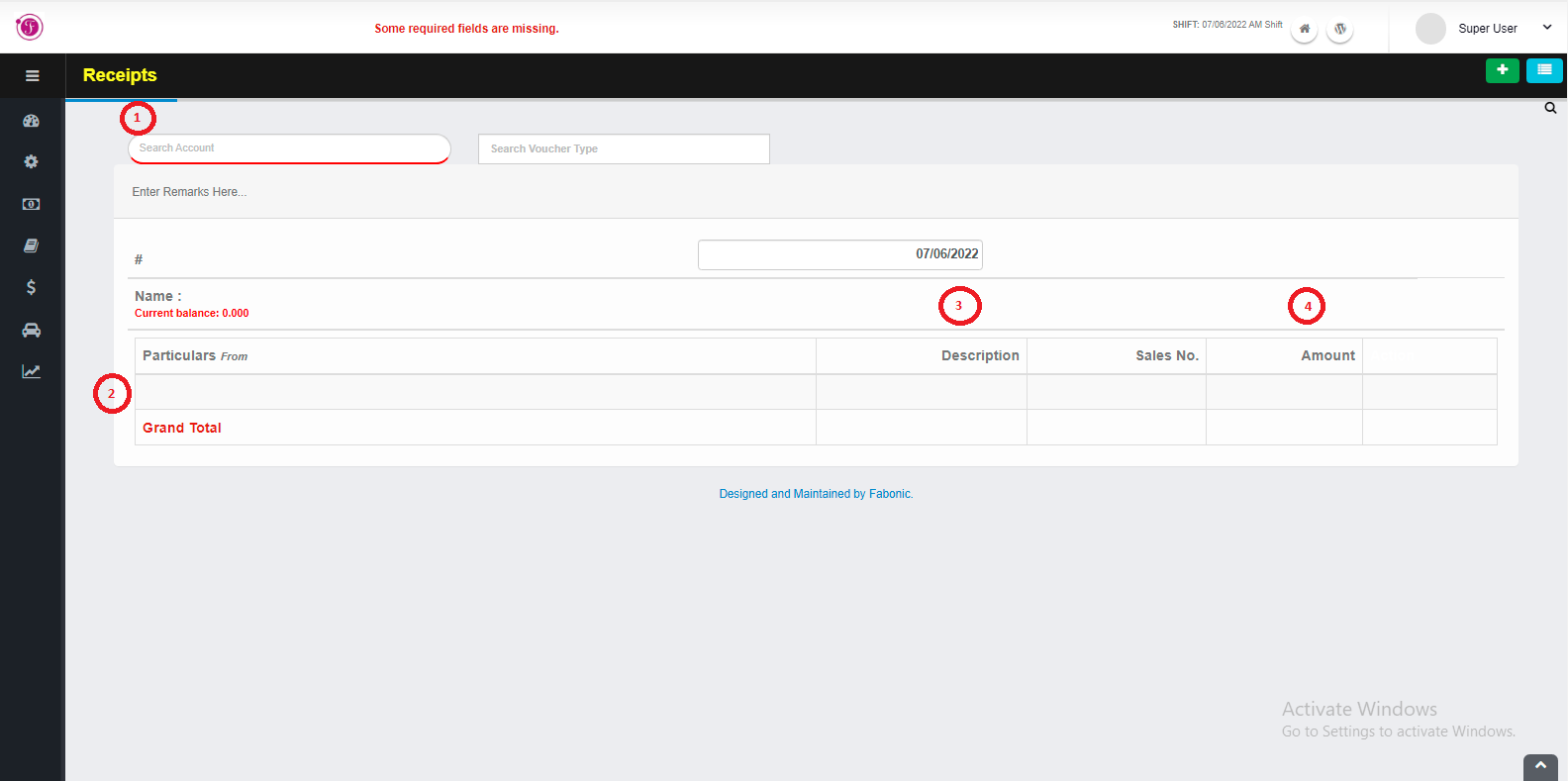
In order to create a receipt for the first time, choose the Financial Transaction menus and select receipt.
- On a search space with the name “search account” enter an account name which you want to receive the to cash.
- Enter the particular which is an account to take the cash from.
- Enter description and sales number if available
- Enter the amount
- If succeed click the save button to save the changes.
- To print that receipt click on orange print icon, to delete click on red delete icon, to add another receipt click on a plus icon and to see previously receipt click on a three line icons.