How to Record Nozzle Readings (PETROL PUMP)
To record nozzle reading navigate to Pumps menu and then click Daily Readings, the page to record all the reading will open where there will be list of nozzles and their recordings The details after recording the nozzle…
By Fabonic Admin
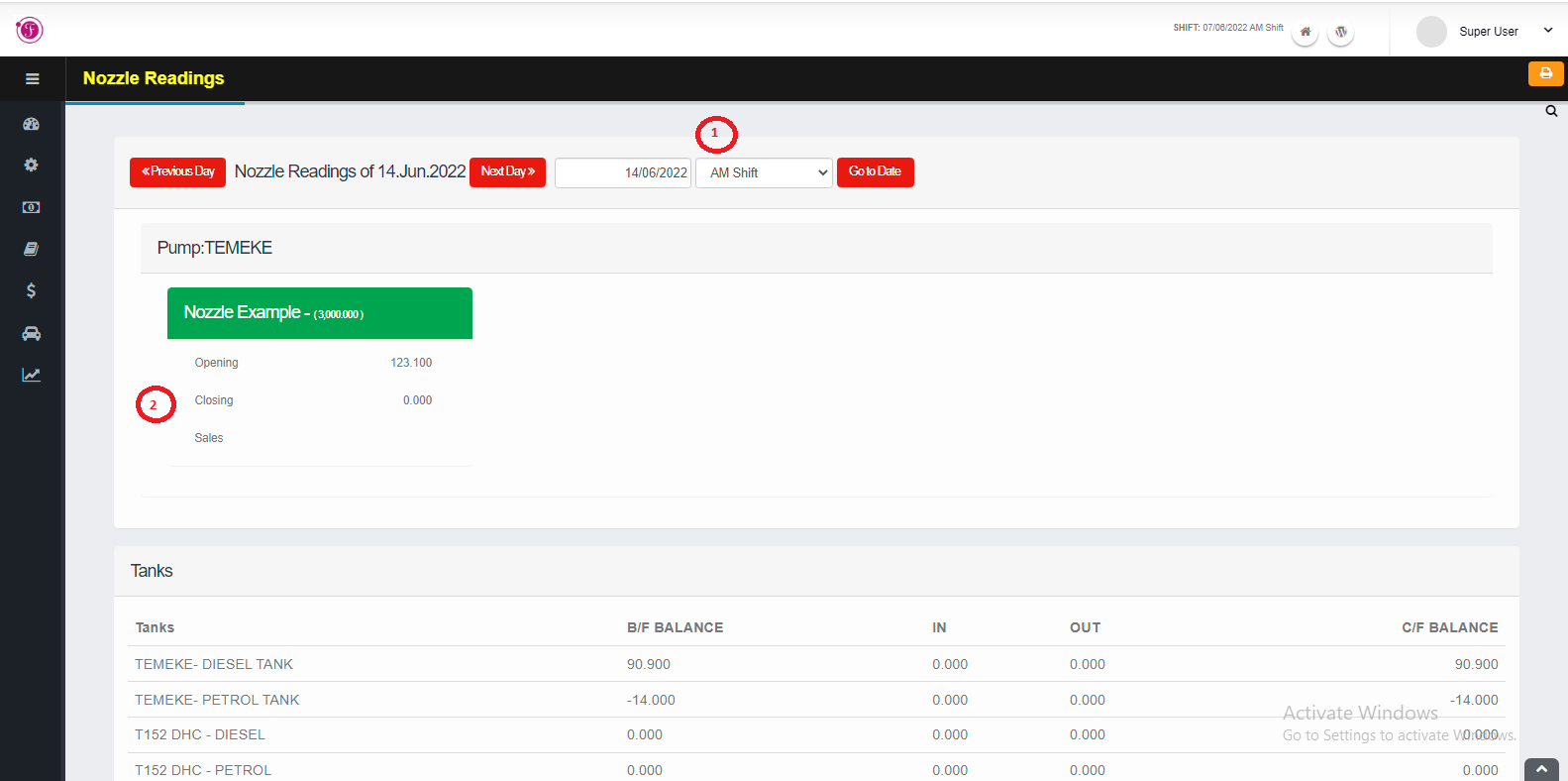
To record nozzle reading navigate to Pumps menu and then click Daily Readings, the page to record all the reading will open where there will be list of nozzles and their recordings
The details after recording the nozzle are specific to show the total IN and OUT balance for the specific type of fuel in the tank, and other details shows Pump’s sales by amount to specifically shows the credit/ cash sales in pump Total sales (A) and Total Sales by meter (B) and its difference that shows there is difference in sales and meter reading
The following are the important steps to record the nozzle reading details: –
- Navigate to specific current shift before recording any meter reading
- There will be opening and closing reading, Enter the value of meter reading on a closing to show the final meter reading on the shift on a specific nozzle and the sales will be calculated automatically