How to Duplicate Proformas on FIS
A proformas can be duplicated to a multiple file. In order to duplicate a proformas to a multiple copy navigate to a proformas submenus. Navigate to proformas list by clicking on Transactions then proformas and finally…
By Fabonic Admin
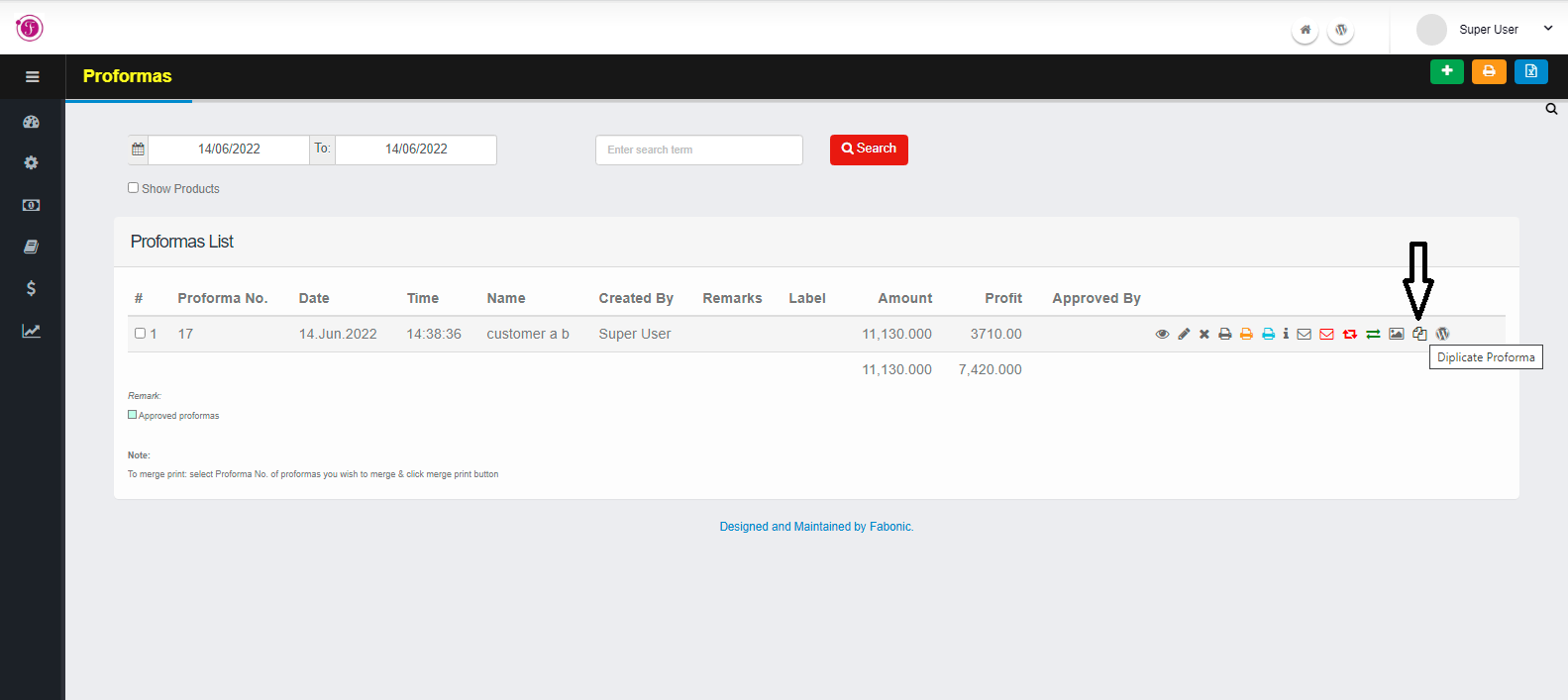
A proformas can be duplicated to a multiple file. In order to duplicate a proformas to a multiple copy navigate to a proformas submenus. Navigate to proformas list by clicking on Transactions then proformas and finally Click Previous Proformas.
The following are the steps to follow:-
- From the proformas list choose one proforma use wish to duplicate
- Click on duplicate icon(marked by arrow on the image) and the duplicated proformas will be opened if you wish to change any details.
- After any changes click on save button