How to create Sales entry
In order to create sales entries for the first time, choose the Transaction menus and select sales. On a search space with the name “search customer” enter a customer name you want to make sales. If the name of a…
By Fabonic Admin
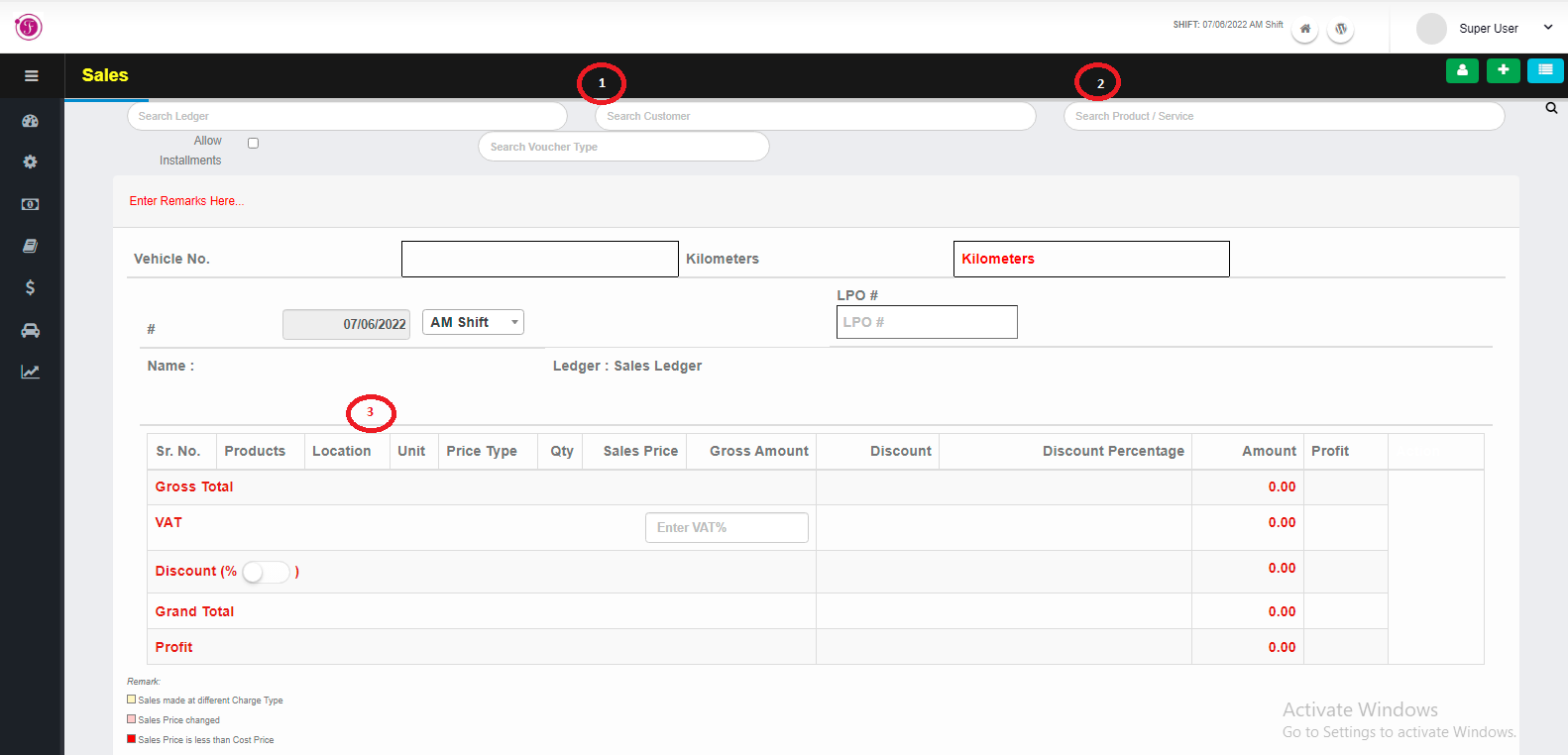
In order to create sales entries for the first time, choose the Transaction menus and select sales.
- On a search space with the name “search customer” enter a customer name you want to make sales. If the name of a customer is not known you can create a ledger for all customers(POS ledger)
- On the right search bar with the label search product/ service enter the name of the product you want to sale
- After choosing the products select the Location, Units, and Quantity of the product to be sold.
- Enter VAT percent on the space
- If you want to give a discount on sale enter the amount you want to give discount or turn on the discount button and enter the discount in percent
- Beside the date there is a drop down to reference the sales shift if its AM or PM
- Click the save button to save the changes.