How to Add a Ledgers
You can go to ledgers page by clicking on Account Masters menu and navigate through ledger submenus Follow the following are the steps to add a new ledgers: – Click on the plus green icon to add new ledger and it…
Na Fabonic Admin
Makala hii bado haijatafsiriwa. Inapatikana kwa English
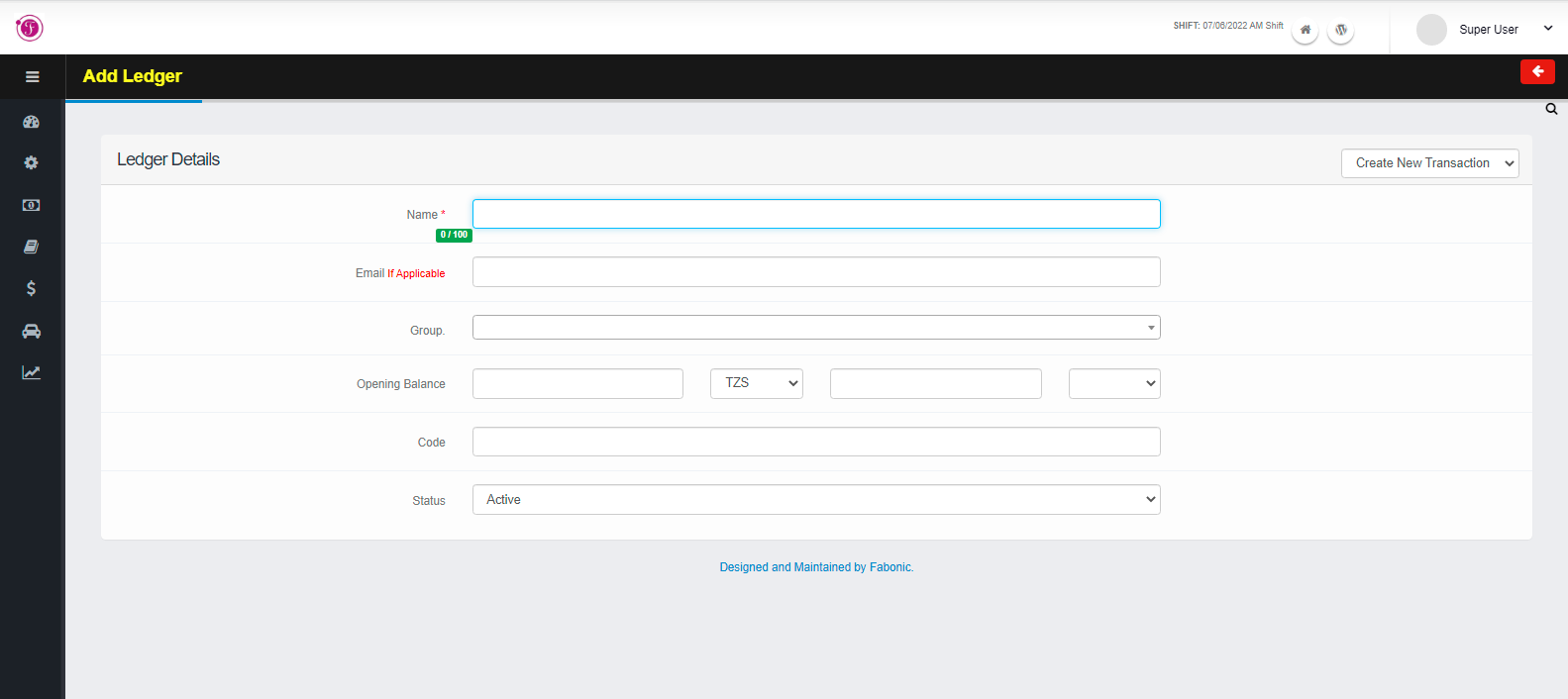
You can go to ledgers page by clicking on Account Masters menu and navigate through ledger submenus
Follow the following are the steps to add a new ledgers: –
- Click on the plus green icon to add new ledger and it will open the add ledger page
- Enter the name of the ledger
- Select the group of your ledger e.g., Sundry debtors, sundry creditor.
- Enter the opening balance amount, currency and rate for the ledger if available
- After completing the details, the details will be saved automatically
- Click on the red arrow icon to leave the page where you will be able to see the list of all ledgers or plus arrow to add another ledger